Pixel Art - Color by Number
EasybrainPuzzle
4.6143.47K Reviews
- Version
- 10.9.1
- Installs
- 100.00M
- Age Rating
- Everyone
Screenshots
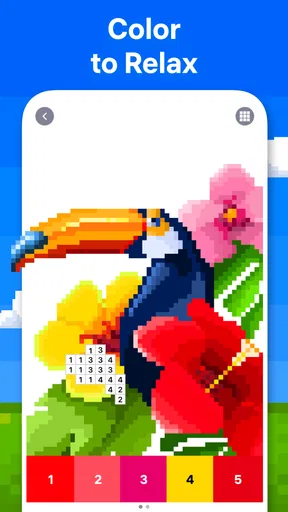
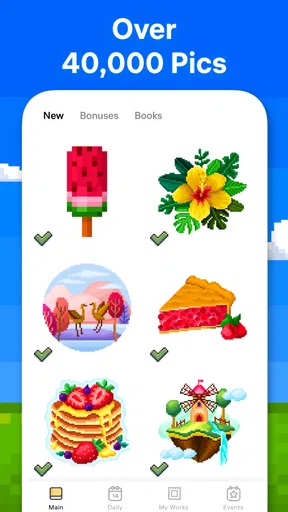

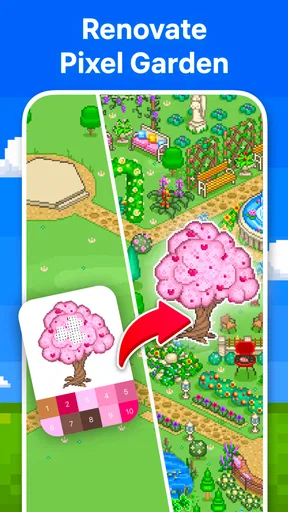
Our Review of Pixel Art - Color by Number
 Analysis by Appyee
Have you ever found yourself doodling in the margins of your notebook, wishing you had the artistic skills to create something more substantial? Well, that's exactly where Pixel Art - Color by Number comes in. It's like having a digital coloring book that unleashes your inner artist without the stress of creating from scratch. Let’s dive in and see what this app is all about.
The Easy Way to Relax and Create
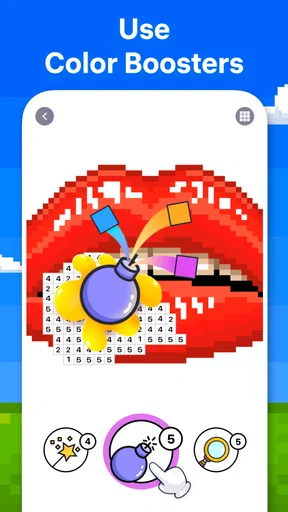
First things first, Pixel Art - Color by Number is all about simplicity and relaxation. You don’t need to be Picasso to enjoy this app. The concept is straightforward: you pick an image from the gallery, and off you go on a pixelated adventure. The app presents a grid of numbers, each corresponding to a specific color. Tap, fill, and watch your masterpiece come to life.
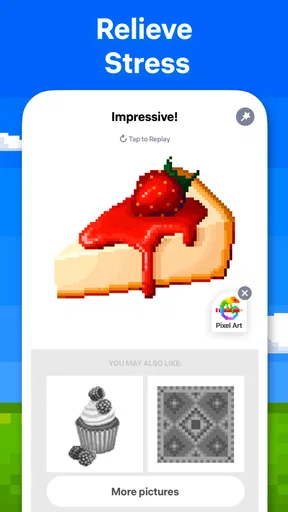
What I love most is how this app turns the often daunting task of drawing into a meditative experience. Whether you're on your morning commute or winding down before bed, it’s the perfect way to unwind. Plus, it's super satisfying to see your colorful creation gradually appear on the screen.
An Array of Images to Choose From
Feeling like a seasoned artist or just in the mood to kill some time? Either way, Pixel Art has got you covered. The app boasts a vast collection of images ranging from simple, easy-to-color designs to intricate masterpieces that challenge even the most patient of colorists. From animals and nature to pop culture icons, the variety is endless and sure to keep you entertained.
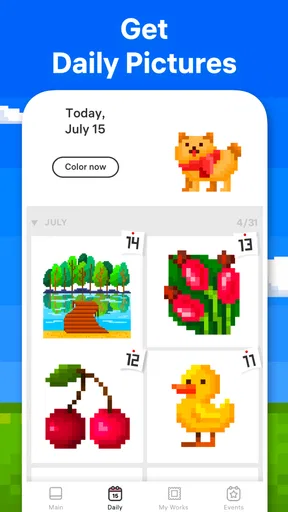
And here's a neat feature: new images are added regularly, so there's always something fresh to try. If you're anything like me, you'll find yourself eagerly checking for the latest updates to see what new challenges await.
Features That Enhance the Experience
Let’s talk features. One standout is the zoom function, which allows you to get up close and personal with those tiny pixels. No more squinting or accidentally coloring outside the lines. The app also has a handy save feature, so you can pick up right where you left off. Perfect for those longer projects that might take a few sittings to complete.
Feeling social? Share your creations directly from the app to your favorite social media platforms. It’s a fun way to show off your skills and maybe even challenge your friends to a color-off.
User-Friendly and Intuitive
Now, let’s chat about the user interface. I found it to be incredibly intuitive. Everything is laid out clearly, and the controls are responsive and easy to use. Even if you’re a first-timer, you’ll have no trouble navigating through the various options and features.
One thing that stands out is how the app caters to a wide range of users, from kids who want a fun and educational way to play with colors to adults looking for a stress-free escape. It’s genuinely a joy to use, regardless of your age or skill level.
Why You Should Give It a Go
At this point, you might be wondering if Pixel Art - Color by Number is worth the download. In my opinion, absolutely! It's not just about coloring; it's about taking a break from the hustle and bustle of daily life. It’s a chance to tap into your creative side without any pressure.
Whether you're looking to pass the time, reduce stress, or just explore a new hobby, this app is a fantastic choice. So go ahead, give it a try, and see how it transforms your downtime into a colorful escape. Trust me, you won’t regret it!
Verdict
Strengths of Pixel Art - Color by Number
- Intuitive and easy-to-use interface.
- Wide variety of images to color.
- Relaxing, stress-relief activity.
- Offline mode available.
- Regular updates with new content.
Limitations of Pixel Art - Color by Number
- Ads can be quite intrusive.
- Limited features without subscription.
- Some images are low resolution.
- No option to create custom designs.
- Occasional app crashes reported.
Other Releases by Easybrain
View All
Art Puzzle - Puzzle Games
Puzzle4.8

Arrow Puzzle: Tap Puzzle Games
Puzzle4.8

Blockudoku®: Block Puzzle Game
Puzzle4.6

Sudoku.com - Sudoku Puzzle
Puzzle4.7
Similar Picks in This Category
View All
Block Blast!
HungryStudio4.8

Braindom: Brain Games Test
Lahana Game Studio4.6

AMAZE!
CrazyLabs LTD4.6

Sudoku - Classic Sudoku Puzzle
Oakever Games4.7
Art Puzzle - Puzzle Games
Easybrain4.8

Amaze GO!
Oakever Games4.9
Frequently Asked Questions
What is Pixel Art - Color by Number?
Pixel Art - Color by Number is a coloring app that offers a relaxing way to create vibrant pixel art. Users can choose from a wide range of images and fill in the numbered sections with the corresponding colors, turning simple outlines into stunning pieces of art. It’s perfect for both beginners and experienced artists alike.
Is Pixel Art - Color by Number suitable for all ages?
Yes, Pixel Art - Color by Number is designed to be family-friendly and suitable for all ages. The app offers a variety of complexity levels, ensuring that both children and adults can enjoy creating pixel art at their own pace. The intuitive interface makes it easy for anyone to start coloring right away.
Does Pixel Art - Color by Number require an internet connection?
No, once downloaded, Pixel Art - Color by Number can be used offline. This allows users to enjoy coloring anywhere without needing an internet connection. However, connecting to the internet may be necessary for accessing new images or updates provided by the developers.
Are there in-app purchases in Pixel Art - Color by Number?
Yes, Pixel Art - Color by Number offers in-app purchases. While the app provides a range of free images to color, users can purchase additional image packs and features. These purchases can enhance the experience by providing a wider variety of images and tools to work with.
How does Pixel Art - Color by Number support creativity?
Pixel Art - Color by Number encourages creativity by offering a vast library of images and allowing users to experiment with colors. The app helps users develop a sense of color coordination and artistic expression while providing a stress-free environment to unwind and explore their creative side at their own pace.
Play our best games!


